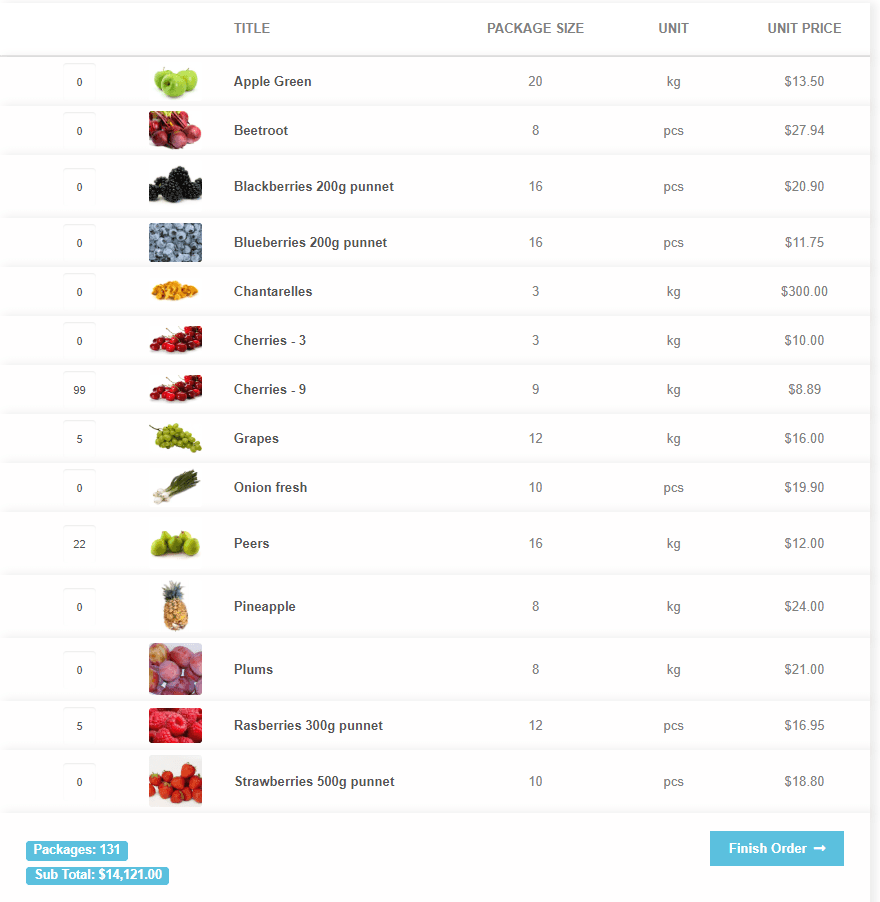
Regular customers who order forty lines every Tuesday don’t want to click through product pages. Wholesale Order Table shows your products in one table: type the quantities, add them all to the cart, done.
Try the free version first, or see it in action on wholesaleorderplugin.com.
Built for big orders
For your buyers
- Every product in one table
- Quantities in, all to the cart at once
- Grouped by category, open or folded
- Unit price and package price side by side
- A warning before they order more than you have
For you
- Choose the columns: image, SKU, attributes, tags, tax class and more
- Drag to reorder, set widths if you like
- On the shop page or anywhere with a shortcode
- Show only certain categories or tags per page
Plays well with
- The block checkout
- Minimum and maximum quantity plugins
- Shipping Zones by Drawing
Up and running
Install
Download the zip from My account, upload it under Plugins in WordPress and activate it.
Pick your columns
Under WooCommerce → Settings → Wholesale Order Table, choose and order the columns your buyers need.
Show the table
Turn on the shop page override, or put [ordertable] on any page.
Questions
Is there a free version?
Yes, Wholesale Order Table for WooCommerce on WordPress.org. Premium is the full version described on this page.
Can I show the price per unit when I sell whole packages?
Yes. Add a package size attribute to your products and choose it in the column settings. The docs show how.
Does it work with the block checkout?
Yes.
What does the licence include?
The plugin is yours to keep. The licence gives you a year of updates and support and renews yearly. If you stop renewing, the plugin keeps working, you just stop getting new updates and support. Pick the number of sites that fits you.